
See every check. Approve exact matches together.
Start with your bank statement. See every check matched against QuickBooks Online, approve exact matches together, and review discrepancies with confidence.
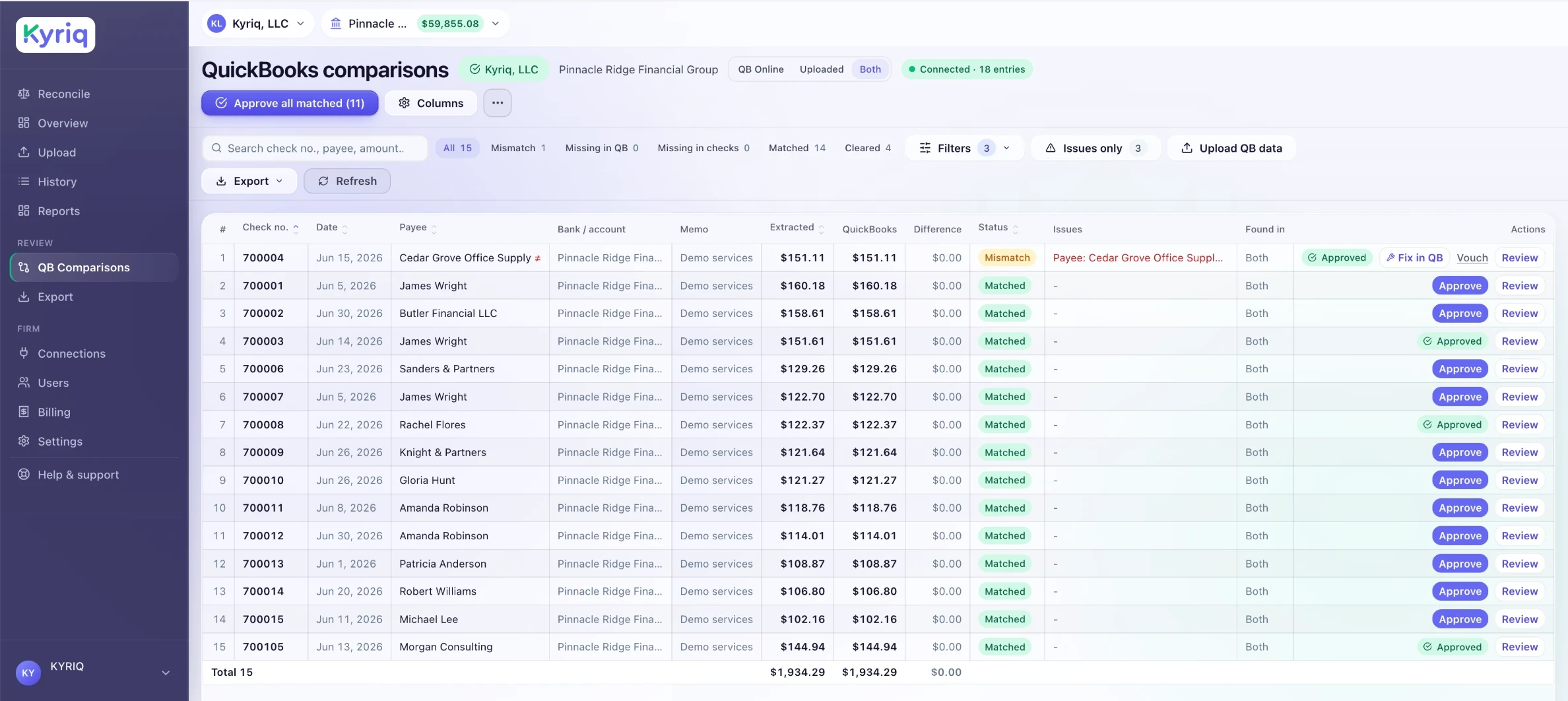

From your bank statement to a completed QuickBooks reconciliation
Upload your bank statement
Upload the bank statement PDF you already download and Kyriq extracts the checks for you. Typed or handwritten check images work too, in PDF, JPG, or PNG.
Match every check
Kyriq compares each processed check with the selected QuickBooks register and scores every match.
Review every result
See the complete batch, then review lower-confidence matches, possible duplicates, and discrepancies individually.
Clear approved checks
Approve all 100% matches together. Approved checks are cleared in your QuickBooks reconciliation.

Built for bookkeeping and accounting firms
Spend less time checking transactions one by one. Kyriq organizes the full batch by match result, so judgment goes where it is needed.
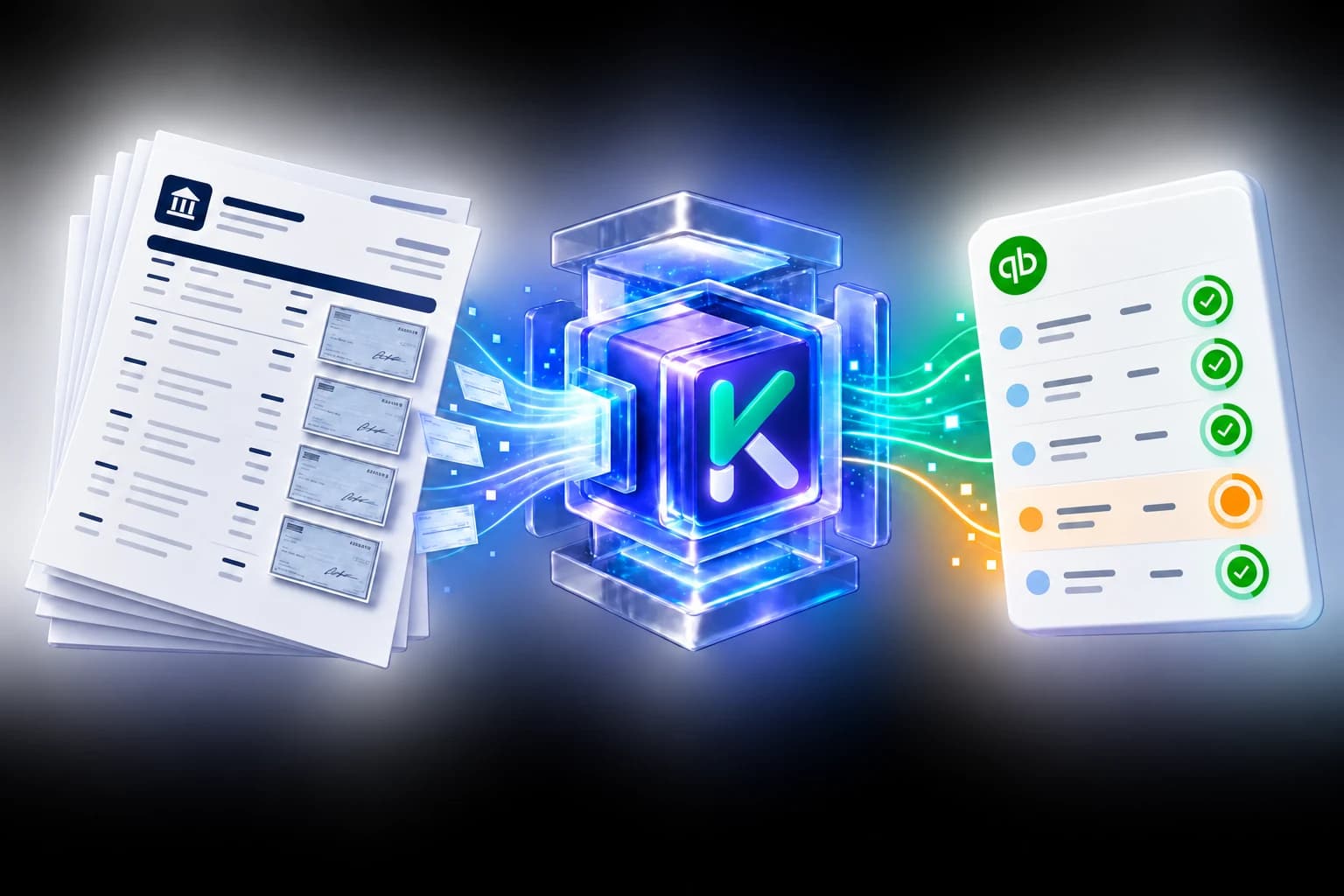
One upload instead of two
Use the bank statement you already have. Kyriq extracts the checks directly, so there is no separate extraction software and no re-upload step.
Typed or handwritten
Kyriq reads both. Extracted details and confidence scores stay visible, so your team can verify anything that needs a closer look.
Your team controls approval
Nothing is cleared automatically. An authorized user approves the result first, and every decision is logged.
Unlimited companies and users
Pricing is based on processed-check volume, not the number of QuickBooks companies or team members.
Works right inside QuickBooks
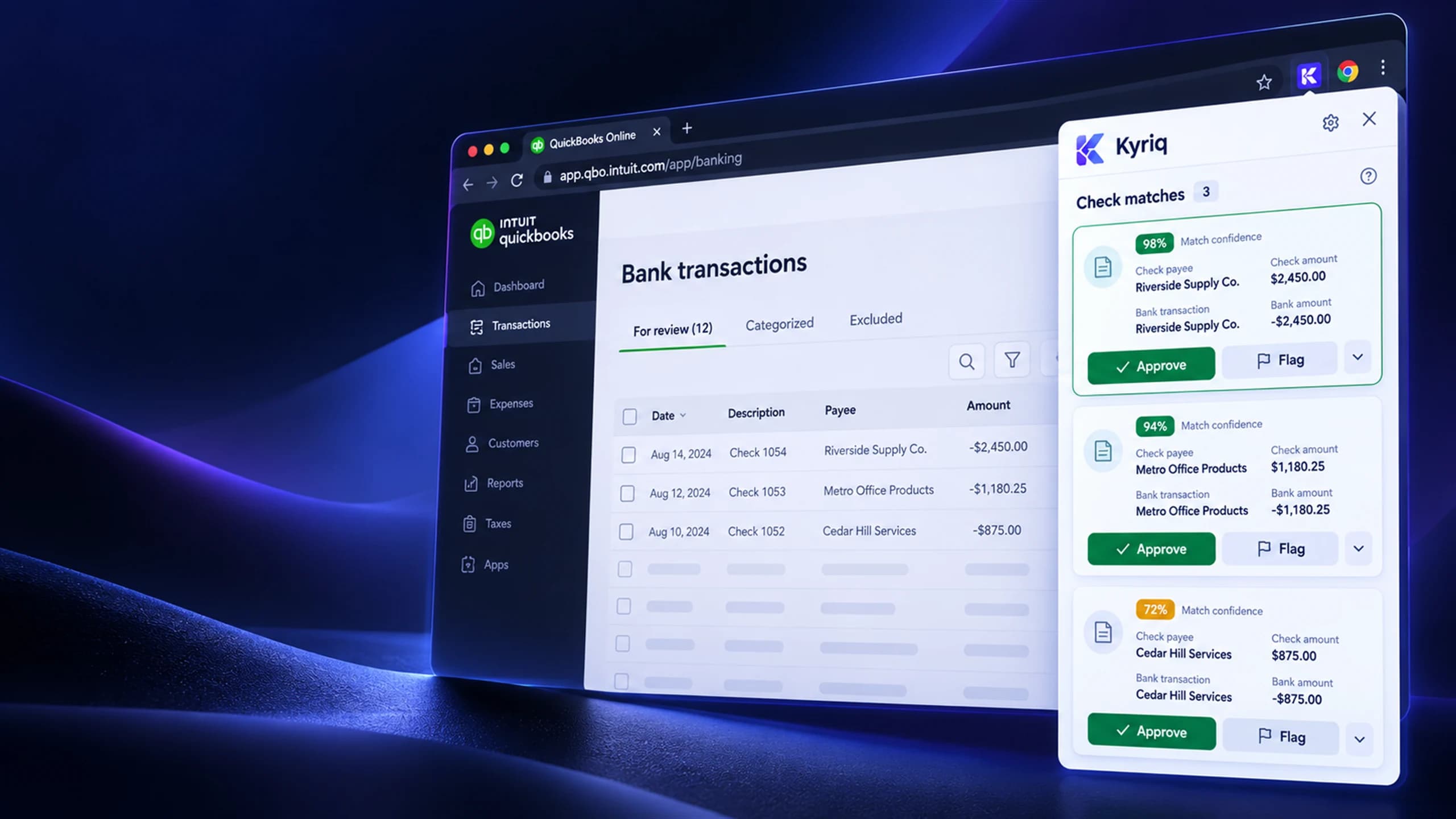
Approve and clear matched checks without leaving QuickBooks Online. The Kyriq Chrome extension is included with every plan and during the trial.
- Reconcile without leaving QuickBooks
- View match suggestions in context
- Approve or flag each result yourself
- Keep every approval in the audit trail

 Kyriq IQ · Coming soon
Ask. Review. Act,with your approval.
Kyriq IQ brings conversational intelligence to reconciliation.
Talk to Kyriq like a colleague. Ask what needs attention, have any check read back to you, or find every payment made to a vendor. Kyriq IQ works from your firm's own data, recognizes your companies and payees, and keeps you in control of every action.
Starting with checks. Full-book reconciliation is next.

Choose monthly flexibility or save one month with an annual commitment
Every Kyriq plan includes the web app and the Chrome extension at no additional cost.
- Unlimited companies
- Unlimited users
- Kyriq Chrome extension included
- All core features
- Unlimited companies
- Unlimited users
- Kyriq Chrome extension included
- All core features
- Priority support
- Unlimited companies
- Unlimited users
- Kyriq Chrome extension included
- All core features
- Onboarding assistance
Reconciling more than 10,000 checks a month? Overage is $0.20 per check on every plan, and contact us for volume pricing above the Firm allowance.
Trial and usage
Try Kyriq for 14 days or process up to 250 checks, whichever comes first. No credit card is required. A check counts when it is processed from an upload. If the same check is uploaded and processed again, it counts again. After the monthly allowance (1,200 / 4,500 / 10,000 checks on Starter / Professional / Firm) is reached, additional checks are billed automatically at the overage rate shown for the plan. Usage resets at the beginning of each monthly billing cycle.
Annual plan terms
Annual plans are prepaid 12-month commitments and include one month free. Monthly check allowances still reset each month, and overages are calculated and billed monthly. Cancel automatic renewal at any time; service continues through the paid-through date. Annual payments are non-refundable except where required by law or for duplicate, erroneous, or qualifying service-failure charges.

Everything you need to know before your first reconciliation
How Kyriq extracts checks from your bank statement, compares them with QuickBooks, manages approvals, and calculates plan usage.
What does Kyriq do?
Upload the bank statement you already download and Kyriq extracts the checks from it. Kyriq then reads each check, compares every processed check with the corresponding QuickBooks Online transaction, and lets your team approve 100% matches together, review lower-confidence results individually, identify duplicates and discrepancies, and clear approved matches in the QBO reconciliation.
Do I need another program to extract checks from my bank statement?
No. Upload your downloaded bank statement directly to Kyriq and Kyriq extracts the checks for you. This removes the separate extraction and re-upload steps. You may also upload individual check images when needed.
Does Kyriq display every processed check?
Yes. Every processed check remains visible. Use the 100% Matches view for exact matches, Needs Attention for results requiring a decision, and All Checks for the complete batch.
How does bulk approval work?
Kyriq groups checks that match their QuickBooks transactions with 100% confidence. An authorized user can review those checks individually or approve the entire 100% match group at once. Lower-confidence matches and discrepancies remain available for individual review.
Does Kyriq automatically clear checks in QuickBooks?
Nothing is cleared without user approval. After an authorized user approves a match, Kyriq clears the corresponding transaction in the QuickBooks reconciliation.
Can Kyriq process multiple checks on one page?
Yes. Kyriq supports PDF, JPG, and PNG files and can identify and process multiple checks appearing on the same uploaded page.
Can Kyriq read handwritten checks?
Yes. Kyriq can extract information from both typed and handwritten checks. Each result includes a confidence score, and lower-confidence information remains available for your team to review and approve before anything is cleared in QuickBooks.
Is the Kyriq Chrome extension included?
Yes. The Kyriq Chrome extension and web app are included with every paid plan and during the free trial. No separate extension purchase is required.
What counts toward my monthly check allowance?
A check counts when it is successfully processed from an upload. If the same check is uploaded and processed again, it counts again. System retries should not create duplicate usage.
What is included in the free trial?
The trial lasts 14 days or until 250 checks have been processed, whichever comes first. No credit card is required, and you can use the complete reconciliation workflow during the trial.
Are companies and team members limited?
No. Kyriq plans include unlimited QuickBooks companies and unlimited users. Pricing is based on the number of checks processed.
What happens when I exceed my plan allowance?
You can continue processing checks. Additional checks are billed automatically at your plan’s stated overage rate, and the included allowance resets at the beginning of each monthly usage cycle.
How do annual plans and cancellations work?
Annual plans are prepaid 12-month commitments and include the equivalent of one month free. You may cancel automatic renewal at any time, and service continues through the paid-through date. Monthly plans may be canceled at any time.
Which accounting platform does Kyriq support?
Kyriq currently connects with QuickBooks Online for transaction comparison and reconciliation clearing.
Where can I get help?
Email Kyriq Support at support@kyriq.com for help with your account, QuickBooks connection, uploads, reconciliation, or billing.
Still have a question? Contact support@kyriq.com.
Ready to reconcile checks in a fraction of the time?
See every processed check, approve all 100% matches together, and give lower-confidence matches, duplicates, and discrepancies the individual attention they need.
14-day trial or 250 processed checks, whichever comes first · No credit card required
Already have an account? Sign in